
By Leontien Talboom, Technical Analyst, Cambridge University Libraries & Archives (CULA) and Chris Knowles, Digital Archivist, Churchill Archives Centre (CAC)
Early last summer, Alan Blackwell, Professor of Interdisciplinary Design within the Department of Computer Science and Technology at the University, got in touch with us about potentially working together with some computer science students as one of the ‘clients’ in their Part 1B Group Project. We liked the idea of this sort of collaboration, and thought that working on some floppy disks that we had recently copied but not been able to get further into might be an appropriate task for the students, and hopefully also one they would find interesting! This blog outlines our case study and the work the students were able to achieve.
Nostalgic versus Business Machines
One of the things that has become increasingly clear over the last few years is just how much documentation and community support exists for ‘nostalgic’ home computers and their peripherals.
Machines such as the Amstrad, Atari, Commodore, and BBC Micro still enjoy lively communities dedicated to preserving their software and hardware; it seems there’s a good correlation between systems that had games and there being a lasting interest in them today! There are emulators, discussion forums, online archives, and enthusiasts who continue to document how these systems worked. Even decades later, it is often possible to recover and interpret data from these systems’ disks relatively easily because so much collective knowledge survives. A good example is our earlier work on Amstrad disks, where there was a well documented disk image, a choice of several emulators and even tools that could directly extract files.
Unfortunately, the same is not true for many business machines, including word processors. The collections we work with contain disks from machines that were once used professionally but are now largely forgotten. While imaging the disks themselves was possible, none of our usual tools, or others we could find online, were able to extract the discrete files to make it possible to appraise and access the material on them. While we could view the contents of the whole disks in a text editor, they had complex structures and we didn’t consider them suitable for passing either to archivists for appraisal and cataloguing or researchers for use in that state.
In many cases there was little surviving documentation, few examples online, and no existing tools capable of interpreting the disk formats.The machines that our disks had come from our great examples of this, both dedicated word processing systems. For the CULA disks it was the Lexitron and for the CAC disks it was the Diamond 7 ‘word processing typewriter’. There is some overarching information to be found on word processors and how they were used, including this blog by Matthew G. Kirchenbaum on the use of them by authors, and an overview of their evolution by Brian Kunde.
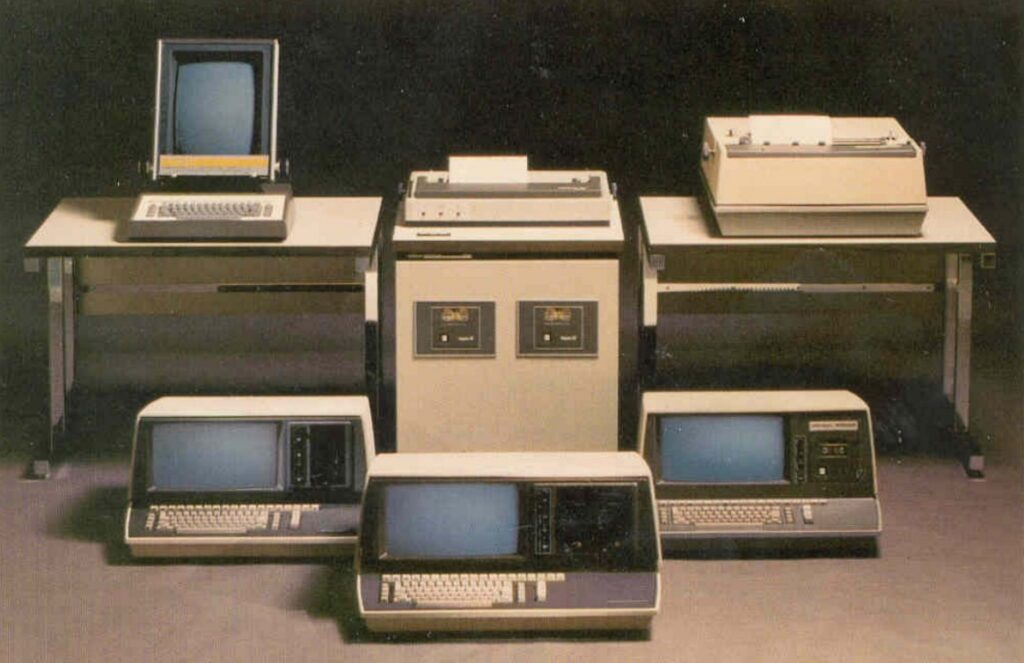
But it becomes more tricky when looking at our more specific machines: for the Lexitron, it has a number of original advertisement leaflets available and a YouTube video on its history. For the Diamond machine, an oral history and an overview of the company can be found. Both these examples showcase how there are oral histories and documentation on the machines themselves, but no operational emulation or tools.
And this is exactly the challenge we wanted to see if the students could deal with: is it possible to extract discrete files to make appraisal possible of this material with very little documentation and understanding of the machine that generated it?
The Collections
CULA Collection – Lexitron Disks
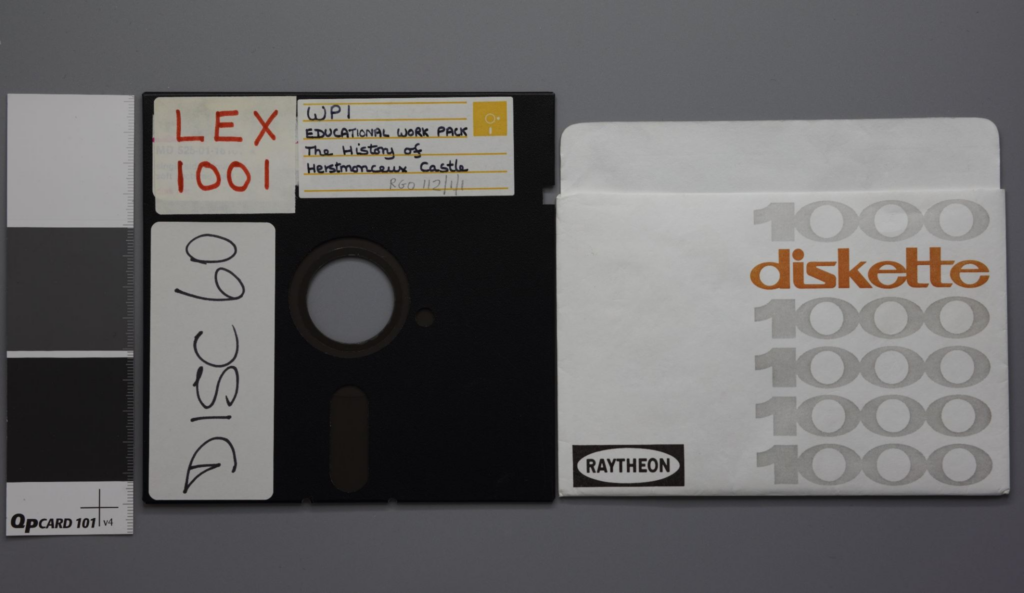
One of the collections consisted of disks created using the Lexitron word processing system. Lexitron machines were dedicated word processors used primarily in office environments before personal computers became commonplace. These disks specifically came from a Lexitron 300, and were used for learning packages for schools, there are 10 of them, 8 containing data and two containing a software package. They are from our Royal Greenwich Observatory (RGO) Collection.
CAC Collections – Diamond 7 Disks
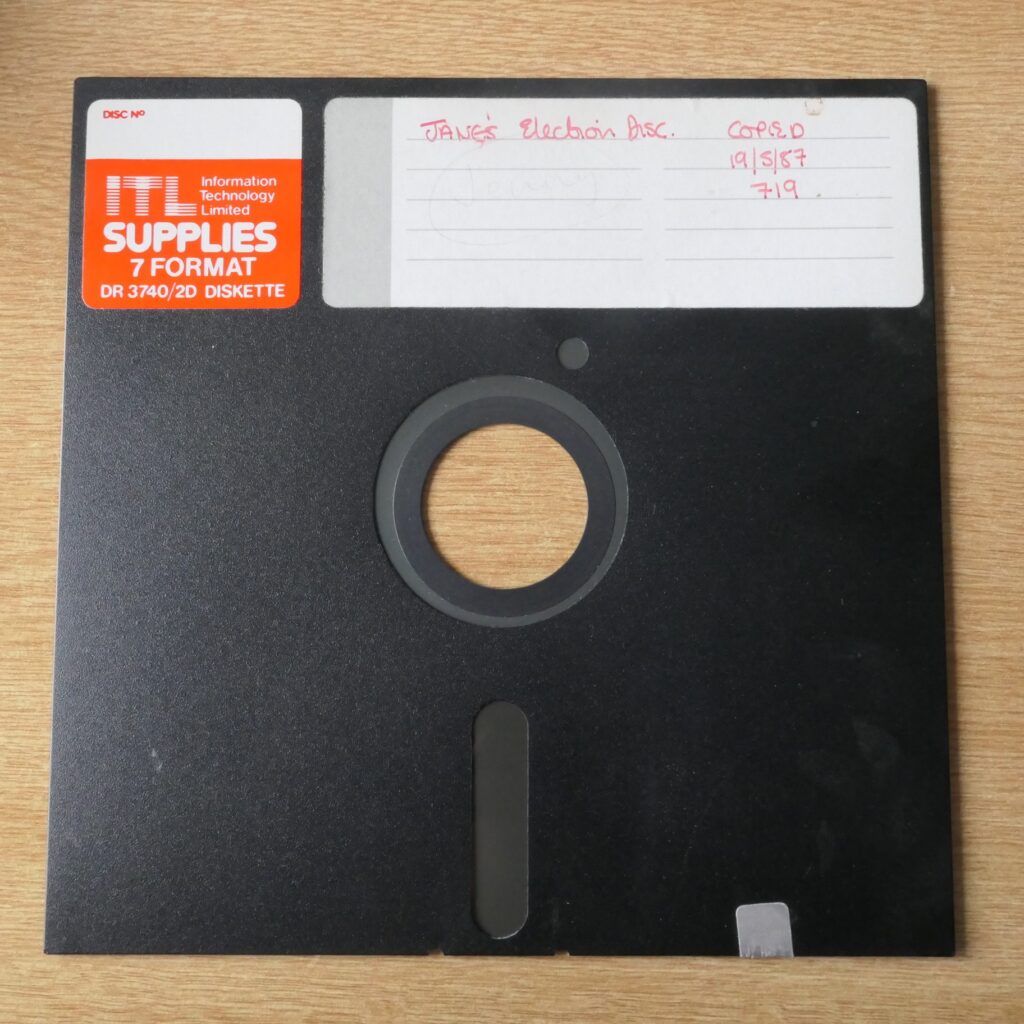
We hold the papers of Neil Kinnock, and others who worked with him. It is apparent that his office used a Diamond 7 machine up to the early 1990s (despite it being really quite obsolete by that point!), and between the papers of Neil Kinnock and Christopher Child we have 221 8-inch disks from what we now understand to be the same machine, and have indeed since recieved further 8-inch disks from the same office with the papers of Kay Andrews. We only recently obtained and got an 8-inch floppy drive working, and quickly discovered that these disks weren’t accessible with any of our usual tools.
Preparing our collections for the student project
Before the project could begin, we sat down to think about what context we had to provide to the students for them to understand what we needed. We were a little bit unsure how to approach this at first, considering that we were unclear how much background to give on our institutions, but also on the floppy disks themselves. Floppy disks are obsolete and have been for a long time, so did we need to prepare work for the students in advance about this? We put together a thorough briefing document for them and also ensured that we were always available to ask questions, either about the disks themselves or the collections that they came from.
In both cases we took flux images of our disks using a Greaseweazle, and created sector images, using the GreaseWeazle software for the Diamond disks and Applesauce for the Lexitron ones. We made the sector images available initially, but also ensured that the flux stream would be available for them as well if need be, as we weren’t certain that the sector images would have been created correctly, especially for the Diamond disks. This also ensured that the students didn’t have to directly have to work with the physical disks themselves as copies had already been made, leaving a purely software challenge.
Working with the students
The students approached the problem with a combination of technical skill and curiosity, applying methods from reverse engineering, data recovery, software development, and low-level disk analysis.
One of the biggest challenges was that the two disk formats required completely different approaches.
Decoding the Lexitron 300 Disks
Although initially intimidating, the Lexitron disks eventually proved to have a recoverable structure. The students discovered that the disk images contained repeated file tables and allocation tables, followed by segmented file contents stored in chained 256-byte sectors.
By analysing the sector headers and understanding how tracks linked together, they were able to reconstruct the file chains and successfully recover files along with their titles and much of their formatting. The students eventually identified a repeating structure within the disk images, including duplicated file tables, allocation tables, and segmented file contents stored after the system information. Understanding this structure was key to reconstructing the files successfully.
Recovering the files still presented difficulties. The students had to interpret control codes, identify file chains, and deal with irregular formatting information that appeared only rarely across the disks. Despite these challenges, the final extractor is able to recover the contents of the Lexitron disks successfully.
The Challenge of Diamond 7
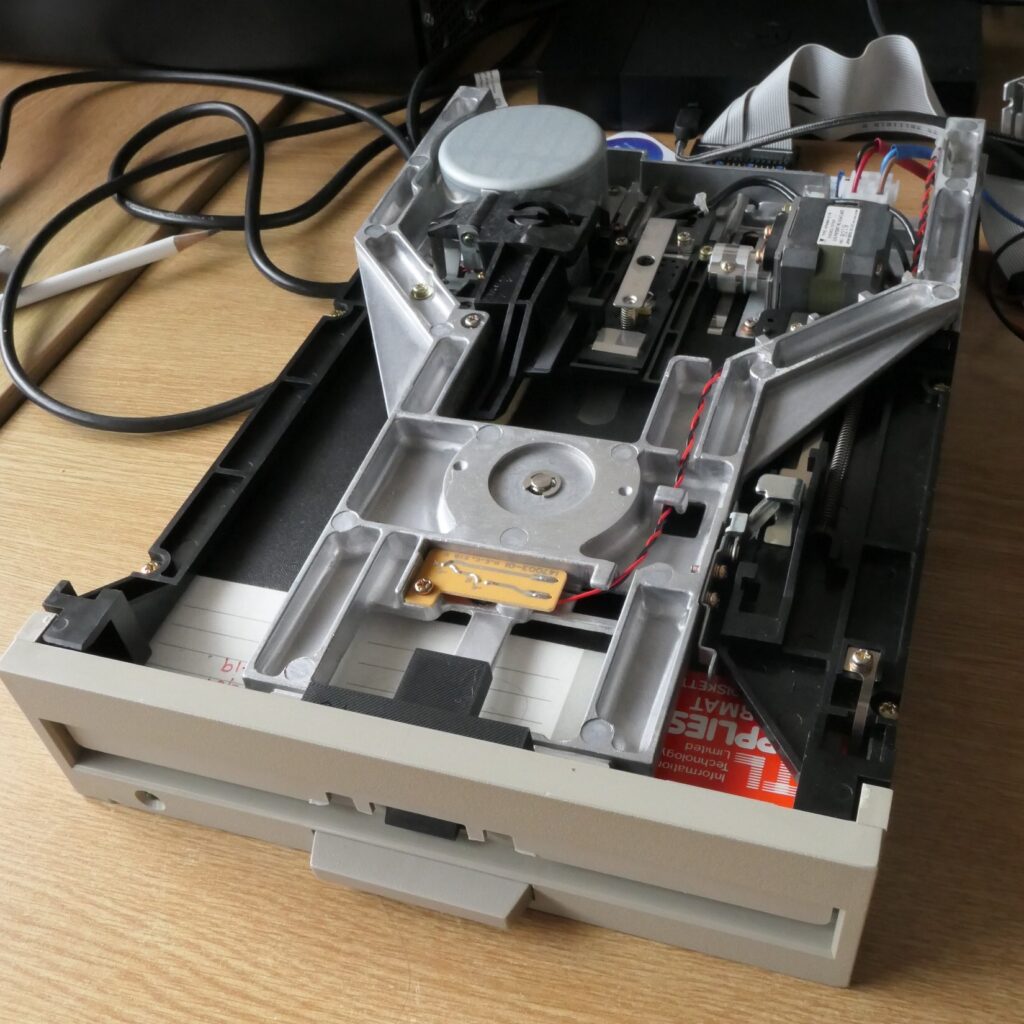
The Diamond 7 disks proved much more resistant to conventional decoding.
The students quickly determined that sectors were 256 bytes in size and that text files appeared to be interleaved for performance reasons. They also identified that many of the disks were bootable and contained both software and document data; and that the document data looked to preserve some sort of version or edit history, with parts of documents repeated in multiple places within a disk.
However, attempts to identify a clear filesystem structure were unsuccessful. Several approaches were attempted, including comparing binary data with likely file sectors, searching for FAT12-style structures, comparing filenames with disk locations, and investigating similarities with Amstrad disk formats. None of these approaches fully solved the problem. Ultimately, they concluded that the disks weren’t properly discrete entities, and that the file structure data must have been stored on the machine that created them. While this might sound like a strange idea to anyone who has used later floppy disks, or other portable storage, when you consider that these disks were only ever designed to be used exclusively on the single machine that wrote them, effectively as extra memory, rather than being for moving data between machines, this isn’t so bizarre.
Rather than abandoning the disks entirely, the students pivoted to a content-based recovery method. By identifying recurring file headers and footers, and comparing multiple versions of files stored across each disk, they were able to reconstruct documents conservatively and avoid combining incompatible text sectors.This approach allowed them to recover coherent text files while also identifying sectors that could not be confidently assigned. Sebastian Taylor, one of the students on the project, wrote a separate blog about this with further details and examples, which can be found here.
Although the Diamond 7 disks could not be completely decoded at a filesystem level, the project still achieved meaningful recovery results and demonstrated how alternative approaches can still provide valuable access to otherwise inaccessible material.
The Resulting Floppy Disk Tool
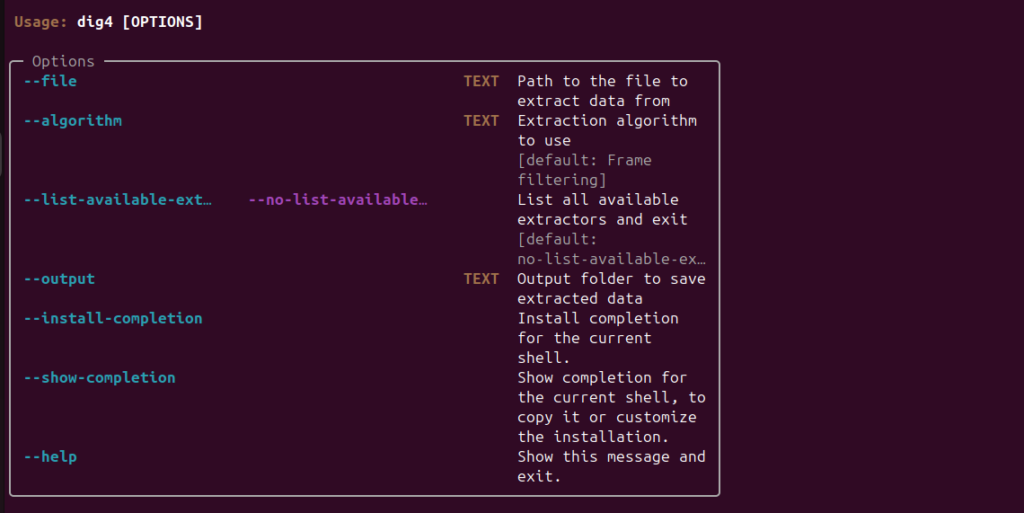
The final tool included both a graphical user interface and command-line functionality, making it suitable for both experimentation and larger-scale extraction work.
The project repository can be found here:
https://github.com/AverageOCamlEnjoyer/DiggingForData
The final solution combined a fully functional Lexitron disk extractor, a dedicated Diamond 7 content extractor, several device-agnostic content extraction tools, and both graphical and command-line interfaces for bulk extraction work.
Why Projects Like This Matter
Digital preservation is often associated with large, well-known systems and formats, but projects like this remind us that huge amounts of digital history exist in obscure and poorly documented systems, especially in personal archives. Dedicated word processors such as the Lexitron and Diamond machine were once important business tools, yet many of their formats are now effectively orphaned. Without projects like this, the information stored on these disks risks becoming permanently inaccessible. It is also notable that this project worked with relatively simple subjects, word processed documents; these problems will be magnified significantly for more complex items that haven’t already garnered a hobbyist community around them.
The project also demonstrated how valuable collaborative work with those outside the archival community can be. We already benefit greatly from tools created by online communities with their own goals and interests, but clearly can also benefit from bringing in outside expertise for short-term project work like this. The students not only produced practical tools but also documented their findings carefully so that future researchers and archivists can continue the work.
For us, it was particularly rewarding to see students engage with preservation problems that sit at the intersection of computing history and archival practice, especially as it seems that this was useful both for them as an interesting and appropriate course project and for us in terms of the results achieved.
Looking Ahead and thanks
Moving forward, we can now pass the data from these disks along to be appraised, catalogued and made available to researchers in an easy to use format, and CAC should be able to use the same tool to extract data in the same way from their newly acquired disks from the same office. Beyond that, the tools developed here can be added to our repertoires for dealing with new formats as we come across them, and even if they don’t handle a certain format, they might well be a good starting point for further software development.
We are hoping to take part again in the Cambridge Computing Group Projects in future years as long as we can identify further equally good tasks arising from our collections, and outside of that this experience shows that we could justify working with other external groups or contractors to overcome specific technical roadblocks.
We are extremely grateful to the students (Laughlin Holmer, Sebastian Taylor, Oliver Bennett, Ed Read, Shashwat Tomar and Dan Kvit) for their work, enthusiasm, and ingenuity throughout the project, and we hope this collaboration can serve as a model for future digital preservation partnerships.